ERP user licenses: build a role map before counting seats
Map ERP tasks to documented access rights, then price employees, service accounts, seasonal access, and approval roles without guessing.
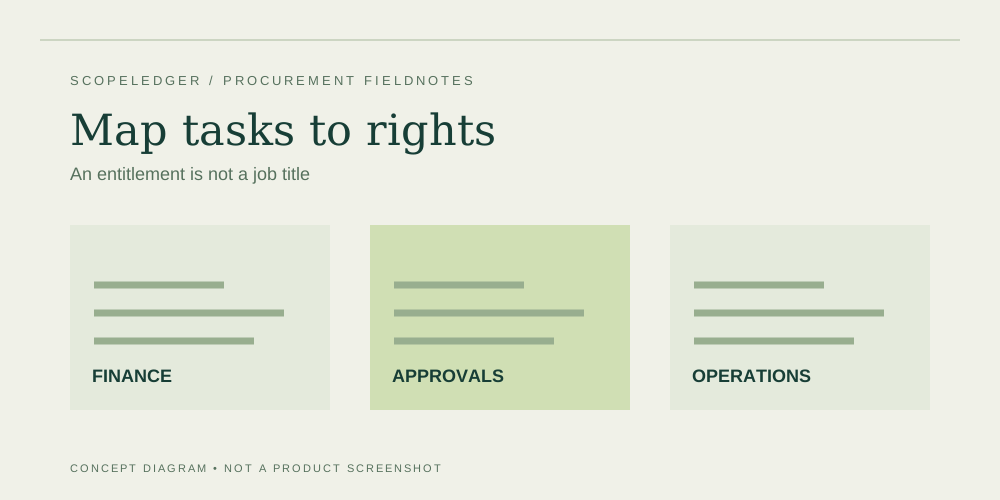
Count required ERP access by task and entitlement, not simply by employee headcount. A warehouse operator, a finance administrator, and an occasional approver may need different rights. Whether they can use different license tiers depends on the product's current terms. Build a task-to-license map and ask the vendor to confirm it before using the count in a budget.
Inventory tasks people actually perform
Start with a normal week and an exceptional week. Interview the people entering transactions, maintaining master data, approving purchases, correcting errors, and preparing reports. An occasional task can still require a higher entitlement. Write down the action and the data involved: “approve purchase requisition within delegated limit” is more useful than “light user.” Include who covers the work when the usual employee is absent.
Map shift work explicitly. Two employees using one terminal do not necessarily share one license under a named-user model. Conversely, an employee who only receives a scheduled report may not require interactive access at all. Do not infer either treatment. Record the access method, identity, workflow, and contractual question. Ask for the answer with the relevant licensing provision or official documentation rather than relying on a verbal reassurance.
Create an entitlement worksheet
| Role | Required action | Candidate entitlement | Unresolved question |
|---|---|---|---|
| Controller | Post and adjust journals | Full financial access | Which edition covers the process? |
| Approver | Review and approve requests | Limited access, if permitted | Which approvals are allowed? |
| Warehouse operator | Receive, pick, correct stock | Operations access | Named or device basis? |
| Integration identity | Read and write through an API | Product-specific | What indirect access terms apply? |
| External accountant | Review and export records | Product-specific | Is guest access licensed differently? |
The candidate column is a question, not a license recommendation. A vendor's terms may distinguish read, write, approval, device, guest, and automated access in ways your worksheet does not anticipate. Let the written entitlement answer control the final mapping. Preserve the version of the documentation used for the decision, particularly when a partner is quoting several products together.
Work through a staffing example
Suppose an illustrative business has 40 employees. Twelve need full finance and operations access, eight need warehouse tasks, five only approve, and the remainder do not directly use ERP. The business cannot responsibly budget 40 identical seats or assume only twelve paid seats. It needs a confirmed entitlement for each of those three access groups plus any integration identities. A role map exposes the questions before the subscription is priced.
For arithmetic only, suppose a vendor-confirmed full role costs $90 monthly and a confirmed approval role costs $12 monthly. Twelve full roles and five approval roles would cost (12 × $90 + 5 × $12) × 12 = $13,680 annually. The warehouse group is still unpriced and must not be silently treated as free. Both prices here are invented illustrative inputs, not references to a real plan.
Account for changes over time
Separate the launch roster from the steady-state roster. Project administrators, testers, and training users may need temporary access; ask whether sandbox or evaluation rights cover their activities. Seasonal employees may change the peak requirement. Determine the minimum purchase term, reassignment rules, reduction windows, and offboarding process. The ability to add users does not necessarily imply the ability to reduce a commitment midterm.
Assign one owner to reconcile the roster with joiners, leavers, and role changes. Record which budget owns each subscription and when the next reduction opportunity occurs. A low utilization number is not proof that a license can be removed: a backup approver may be essential during absence or emergencies. Validate business continuity before cutting access solely to reduce cost.
Test the map against permissions
Licensing and security permissions answer different questions. A license may permit an action while your security design should restrict it. Have the implementation team demonstrate the required tasks using the intended role, not a system administrator account. Check both a successful action and a forbidden one. Capture the result in an acceptance record with the identity and role configuration used.
Microsoft's licensing documentation describes Business Central access categories, but the appropriate choice still depends on the actual tasks and current terms. Use official documentation as the starting point and request written clarification for ambiguous cases. Complex indirect access and shared-device arrangements deserve specialist review. Do not build a cost saving on shared credentials, undocumented entitlements, or an assumption that an API bypasses licensing.
Approval worksheet
Before approval, run a roster workshop with process owners and the person administering access. Walk through a new hire, a role transfer, an absence, and a departure. For each event, identify the entitlement, permission change, purchasing implication, and responsible owner. Check that backup roles can cover critical duties without shared credentials. Keep the identity list separate from sensitive employment details that are unnecessary for licensing.
Ask the supplier to review the final map, including devices, external users, service identities, and unusual indirect access. Record unresolved cases separately. When the commercial proposal arrives, reconcile its quantities to the approved map rather than accepting a rounded seat count. After launch, compare billed quantities, assigned access, and authorized roles. Differences should trigger investigation before a budget owner assumes either a licensing shortfall or an easy saving. The map remains a controlled operating record, not just a procurement attachment.
FAQ
Can occasional users always use a cheaper tier?
No. Frequency is different from entitlement. An action performed once a month may still require a particular license. Identify the action and verify it against current terms before assigning a tier.
Do integrations count as users?
The treatment is product and contract specific. Describe the identity, read and write operations, connected users, and access route. Request a documented answer covering both API rights and indirect access.
How often should the roster be reviewed?
Choose a cadence that fits staffing changes and contract windows. Review before renewals and material role changes, and keep offboarding checks in the organization's normal access-management process.
Sources
- Microsoft licensing documentation — confirm access categories and follow links to applicable terms.
- Microsoft Business Central pricing — verify the current commercial basis; illustrative prices above are unrelated.
Continue the workbook
- ERP software pricing comparison: build a like-for-like ledger
- Cloud ERP versus self-managed ERP: compare responsibilities
- ERP implementation costs: price deliverables and exclusions
Use the ERP total cost calculator for your own scenario, the quote readiness checklist to track evidence, and the cost structure comparison to review purchasing models.