ERP demo checklist: test workflows instead of slides
Create a repeatable ERP demonstration script with realistic inputs, expected outputs, exception paths, and evidence for each mandatory workflow.
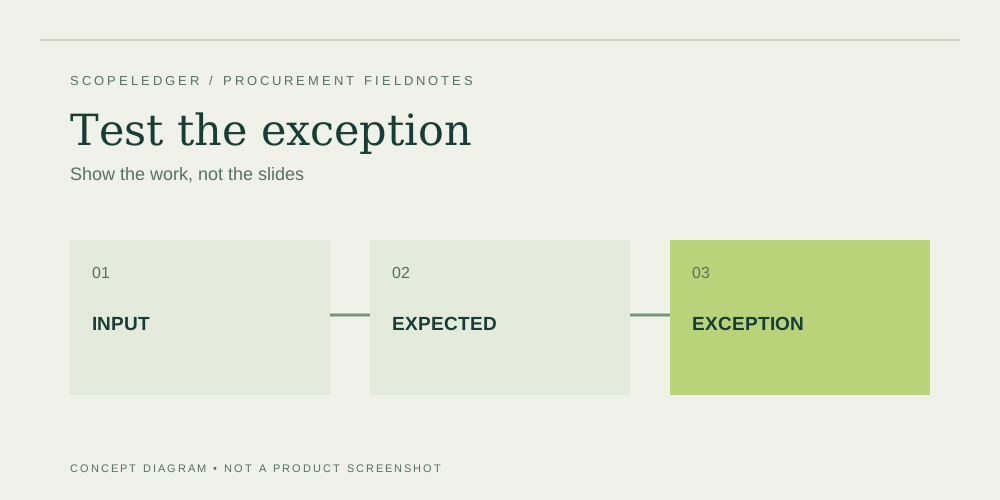
Ask ERP finalists to run the same scripted business workflows with agreed inputs and expected outputs. Score the evidence for each requirement, not the presentation quality. A scripted demonstration should expose dependencies, manual work, licensing assumptions, and exceptions before the organization commits to an implementation plan.
Choose a small set of consequential workflows
Select processes whose failure would disrupt operations or financial controls. Examples include purchase approval through payment, order entry through collection, inventory receipt through shipment, and period-end reconciliation. Define a realistic start and finish. “Show purchasing” invites a tour of screens; “receive a partial delivery, handle a price variance, and match the invoice” asks a testable question.
Invite the people who own the work. A procurement team may understand commercial comparison while missing a warehouse exception that creates daily rework. Give process owners the script in advance and ask them to identify the cases that routinely cause problems. Do not let the most confident presenter or most senior attendee substitute their preferences for the operating evidence.
Use an evidence sheet for each scenario
| Field | Example question |
|---|---|
| Starting conditions | Which records and permissions must exist? |
| Inputs | What order, receipt, approval, or adjustment is entered? |
| Expected output | What record, posting, or report proves success? |
| Exception | What happens when an input is invalid or incomplete? |
| Dependencies | Is an add-on, integration, or custom extension required? |
| Evidence | What was shown and what remains untested? |
Avoid asking suppliers to use sensitive live records. Create sanitized examples that preserve the complexity without exposing customer or employee information. Make the script stable enough that each finalist receives a fair comparison. If a supplier proposes a different way to achieve the same outcome, evaluate it, but document the process change and its training or control implications.
Include at least one exception per critical process
A successful transaction is only one part of usability. Try a duplicate supplier invoice, a shipment reversal, an approval above a limit, an item with missing reference data, or an integration outage. Ask who receives the error, how it is corrected, what audit evidence remains, and whether the correction requires elevated permissions. Avoid rewarding a system that silently accepts an invalid transaction just because the demo continues smoothly.
Observe the proposed user role. If the presenter uses unrestricted administrator access, ask to repeat the critical steps with the role intended for production. Licensing entitlement and security permissions should both be validated. A process that only works when every operator has administrator rights is not demonstrated under the intended controls, even if the underlying product has the right features.
Record fit without hiding uncertainty
Use simple states such as demonstrated, demonstrated with configuration, requires extension, unresolved, and does not meet requirement. Attach notes and evidence to each state. A numeric score can be useful for preferences, but it should not allow excellent cosmetic features to compensate for an unproven mandatory control. Make any proposed exception explicit and obtain approval from its owner.
For an illustrative evaluation, a warehouse workflow may succeed using a paid scanning extension. Record the extension's license, implementation, hardware, integration, and support implications in the cost ledger. Do not mark the workflow “included” solely because the demonstrator installed the extension in a prepared environment. The demonstration answers whether an approach may work; the quote and delivery plan must explain how it will be provided.
Convert the script into acceptance tests
Keep the successful scripts after supplier selection. Refine them with agreed data, configuration, expected postings, and exception outcomes. During implementation, they become a starting point for user acceptance testing. Preserve which version of the product and extension was shown, and note any later design changes that affect the expected result.
A demonstration is not a guarantee of production performance, security, or successful migration. Use separate technical tests and professional review where those matters are important. The value of the demo script is disciplined evidence gathering: it exposes questions early, makes suppliers easier to compare, and prevents the project from beginning with a collection of vague promises that nobody can test.
Approval worksheet
Close each demonstration with a written follow-up list. Assign an owner to every unresolved step, missing report, dependency, and licensing question. Ask whether the supplier will provide a further demonstration, documentation, a prototype, or a priced scope amendment. Set the evidence requirement before deciding that an answer is complete. A general statement that something is possible should remain distinct from a tested approach.
After all finalists have presented, review the same scenario across suppliers while the details are fresh. Note differences in manual effort, exception handling, permissions, and configuration rather than relying on a total impression score. Retain any recording only with appropriate authorization and access controls. The final record should be understandable without replaying hours of video: identify what worked, under which conditions, and what remains to be proved during implementation. Use those conditions to shape the contract scope and acceptance plan.
FAQ
Should demos use our actual data?
Use sanitized representative data unless your organization has approved a secure process for sharing live information. Preserve difficult structures and exceptions while removing unnecessary personal and confidential information.
Can a future roadmap feature count as demonstrated?
No. Record it as a dependency on a future capability. If the requirement is mandatory, the team needs an acceptable present solution or an explicitly approved decision to wait.
Who should take notes?
Assign a recorder who is separate from the main questioner. Capture what was shown, what access was used, which dependencies appeared, and what follow-up evidence is required. Review the record with process owners promptly.
Sources
- NIST Small Business Cybersecurity Corner — consult for security questions that need review beyond a sales demonstration.
Continue the workbook
- ERP buying checklist: from requirements to approval
- ERP business case: separate cash savings from capacity
- ERP data migration budget: clean, rehearse, reconcile
Use the ERP total cost calculator for your own scenario, the quote readiness checklist to track evidence, and the cost structure comparison to review purchasing models.